Set Your Habits Once. Planami Shows Them Every Day.
Planami's new habit scheduling means you write a habit once and it appears automatically on the right daily pages — no copying, no forgetting, no friction.
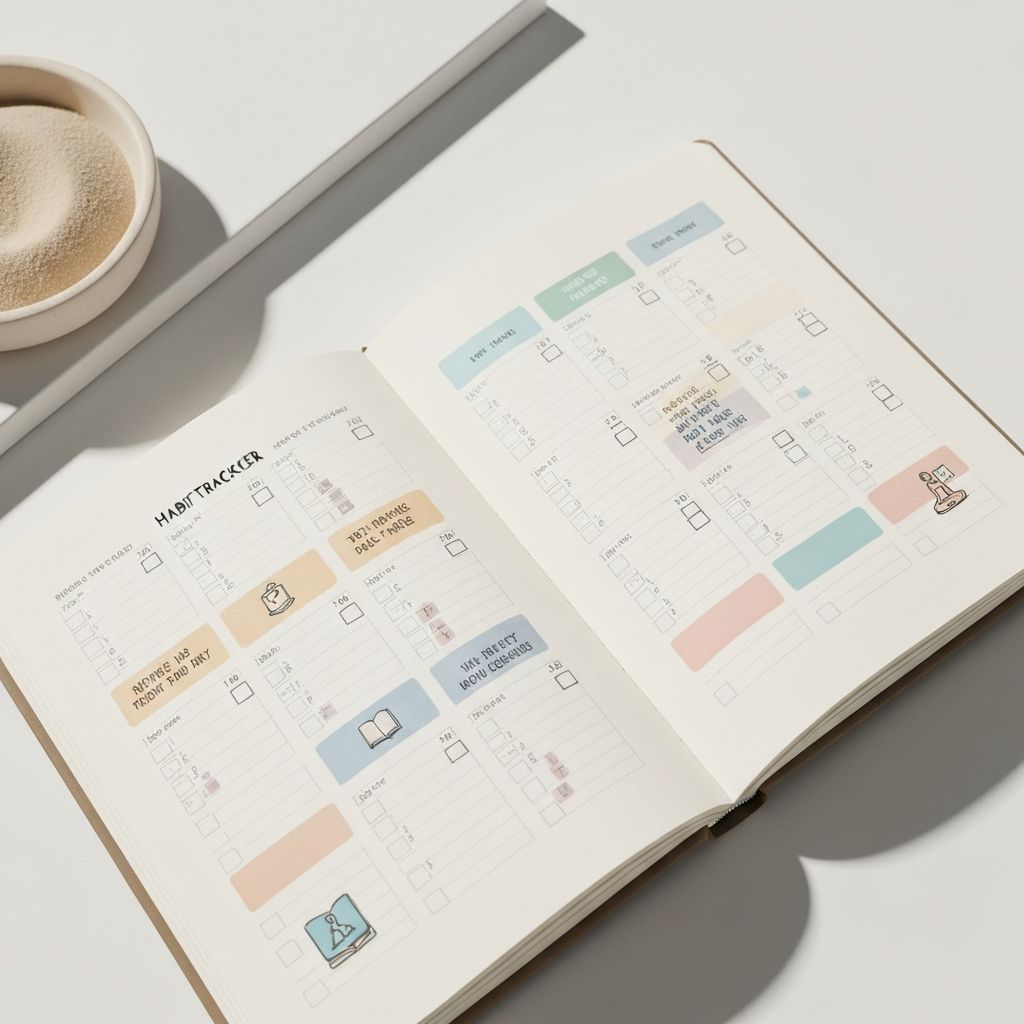
If you've ever used a daily planner, you've probably done this: opened a fresh page, started filling it in, and then — again — written down "drink water" or "morning walk" or "no phone before 9am." The same habits, copied by hand, day after day. It's small friction, but it adds up. And when you're tired or rushed, you just skip it.
We built habit scheduling into Planami to solve exactly this. Set a habit once. It shows up on your daily pages automatically.
The problem with copying habits by hand
Paper planners are beautiful, but they have a structural flaw: every blank page knows nothing about yesterday. You start over from scratch. That's part of the appeal — the clean slate — but it also means your habits only appear when you remember to write them.
Most people fall into one of two patterns: they write the same habits obsessively (which works, but takes effort), or they stop writing them after a few weeks (which feels like failure, but is really just human nature responding to friction). Neither pattern is actually about the habit itself. It's about the setup cost.
In a digital planner, there's no reason to pay that cost twice.
How habit scheduling works in Planami
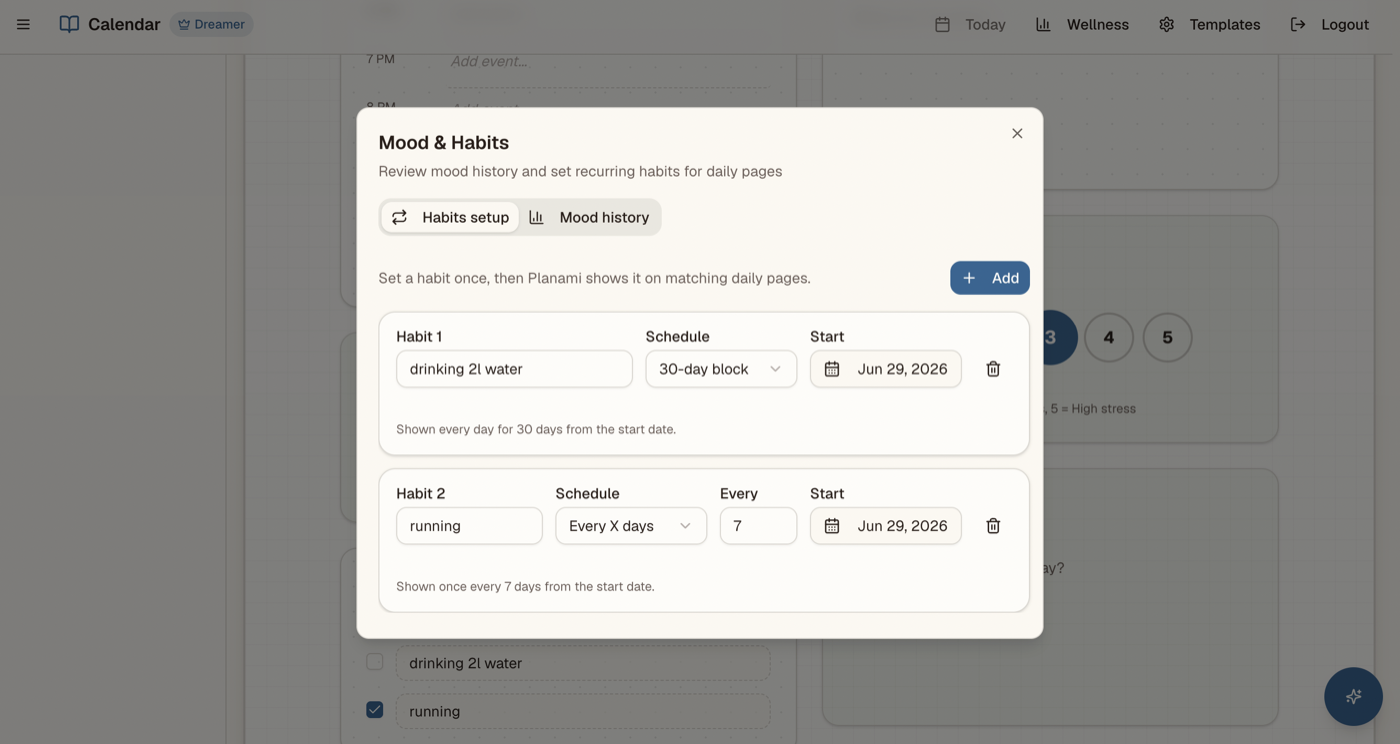
In your planner's wellness settings, you'll find a Habits setup tab. You can add up to five habits. For each one, you give it a name, choose a schedule type, and pick a start date.
That's it. From then on, Planami checks your habits against the current date and shows the relevant ones on the daily page — automatically, every time you open a day that matches your schedule.
You don't have to copy anything. You don't have to remember. You open your planner, and your habits are already there.
Two schedule types: 30-day block and every X days
Different habits need different rhythms, so Planami offers two scheduling modes.
30-day block
Choose this when you're building a new habit from scratch. Set a start date, and your habit appears on your daily page every day for 30 consecutive days. After 30 days, it drops off — which is a natural nudge to ask yourself: did it stick? Do you want to continue? That pause is intentional. It turns a habit challenge into a reflection moment rather than an endless loop.
This is ideal for: morning journaling challenges, a no-social-media month, a 30-day movement streak, learning a new skill daily.
Every X days
Choose this for recurring habits that don't need to happen every single day. Set the interval — every 2 days, every 3 days, or any number up to 365 — and Planami calculates the next occurrence from your start date and shows the habit only on the right days.
This is ideal for: strength training on alternating days, a biweekly check-in with your finances, a weekly deep-clean, a monthly dentist reminder.
Why five habits?
The limit of five habits is a deliberate constraint, not a technical one. Research on habit formation consistently shows that trying to build too many habits at once leads to none of them sticking. Five is generous enough to cover different areas of your life, but tight enough to force you to prioritize what actually matters right now.
If you have ten habits you want to build, you have a list. If you narrow it to five, you have a practice.
Habits alongside mood and stress tracking
Habit scheduling lives inside Planami's wellness settings, alongside two other tools: mood history and stress tracking. This isn't an accident.
The best habit data isn't a streak count — it's the context around the streak. On the days you skipped your morning walk, were you more stressed? On the weeks your journaling held, did your mood trend calmer? When habits, mood, and stress live in the same space, patterns start to surface on their own.
Planami's mood map shows your dominant mood by month across the year. The stress view shows your average stress level alongside monthly breakdowns. Together with your habits, they form a quiet log of how your routines are actually affecting your days — not what you think is happening, but what the data shows.
Getting started
Open your Planami planner, go to wellness settings, and click the Habits setup tab. Add your first habit — just one to start. Give it a name, pick a schedule that fits, set a start date, and save.
Then open today's daily page. Your habit will be there.
That's the whole setup. No configuration system to learn, no tags or categories to maintain, no streak counters that make you feel guilty when life interrupts. Just your habit, on the right day, ready to tick.
If you've been rewriting the same habits on every fresh page, you don't have to anymore.